

4 min read
An app that works for a few hundred users can slow down or fail when thousands arrive at once, for example during a promo or at lunchtime peaks for a food delivery app. Scaling is mostly about the backend: the servers, database and services behind the app.
Start with a sensible architecture
You do not need a complex setup on day one, but avoid shortcuts that are hard to undo, such as storing everything in one table or hard-coding cities and prices. Keep the API separate from the admin panel so each can be scaled independently.
Optimise the database
- Add indexes for the queries the app runs most often.
- Return only the data each screen needs and paginate long lists.
- Move heavy reports to a read replica or a separate reporting database.
Most slowdowns start in the database. Check slow-query logs regularly and look at what the busiest screens actually request. A single missing index can make a popular screen slow for everyone during peak hours.
Use caching
Cache data that is read often but changes rarely, such as menus, product lists and settings, in a fast store like Redis. Use a CDN for images and static files. On the device, cache data so the app opens quickly and works on weak connections.

| Where | What to cache | Watch out for |
|---|---|---|
| Server cache (e.g. Redis) | Menus, catalogues, settings | Clear the cache when data changes |
| CDN | Images, scripts, static files | Versioned file names for updates |
| On the device | Recent lists, profile, last order | Show when data may be out of date |
Move slow work to the background
Sending notifications, emails and SMS, generating receipts and processing images should run in background queues so users do not have to wait.
Queues also absorb spikes: if a promo triggers thousands of confirmation messages at once, they are processed steadily instead of slowing down checkout. Make background jobs safe to retry so a temporary failure does not send duplicates.
Scale the servers
Cloud hosting lets you add servers during peaks and remove them when traffic drops. Use a load balancer and keep servers stateless so any server can handle any request.
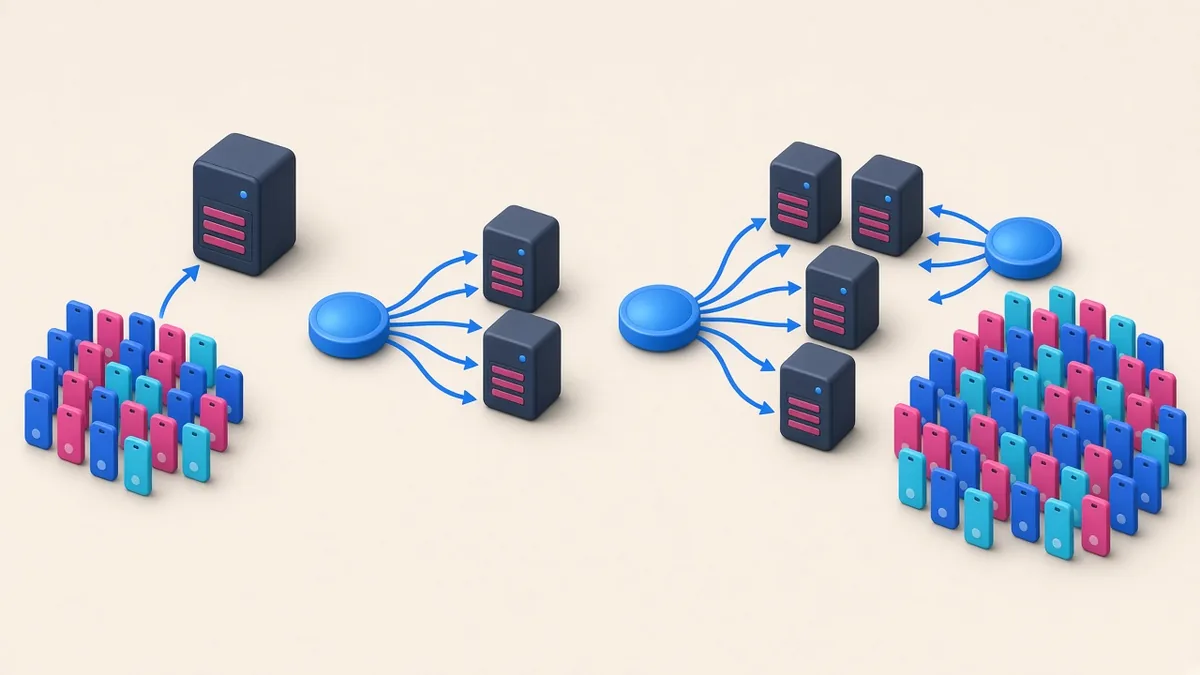
Choose a hosting region close to your users to reduce latency, and set budgets and alerts so automatic scaling does not create a surprise bill.
Measure and test
Monitor response times, error rates and server load, and set alerts. Run load tests that simulate real peak traffic before big campaigns, and fix the slowest parts first.
- Dashboards for response time, errors and server load
- Alerts that reach someone who can act, including at night and on weekends
- Load tests before payday sales, holidays and major promos
- A rollback plan for every release
Keep the app efficient
Reduce the number of API calls per screen, compress data and images, and avoid unnecessary background activity that drains battery and mobile data.
Many Filipino users are on prepaid data and mid-range phones. A lighter app is faster for them and puts less load on your servers.
Frequently asked questions
When should we start thinking about scaling?
From the start, by avoiding shortcuts that are hard to undo. Heavy infrastructure can wait until real traffic justifies it.
Is caching always safe?
Caching is safe for data that changes rarely. Keep prices, stock and order status fresh, and clear caches when data changes.
How do we know if the app is ready for a big promo?
Run a load test that simulates expected peak traffic, watch response times and errors, and fix the slowest parts first.
