
7 min read
If your app needs heavy use of the phone’s hardware (live GPS tracking, camera, Bluetooth, smooth maps), build it natively or with a mature cross-platform framework such as Flutter or React Native. If you mainly need customers to browse, order and pay, a web app or progressive web app (PWA) is often cheaper, faster to launch and easier for customers to try because there is nothing to download. For most Philippine SMEs, cross-platform is the practical middle ground when an installable app is genuinely needed.
Here is what each option means, how they compare, and a simple way to decide.
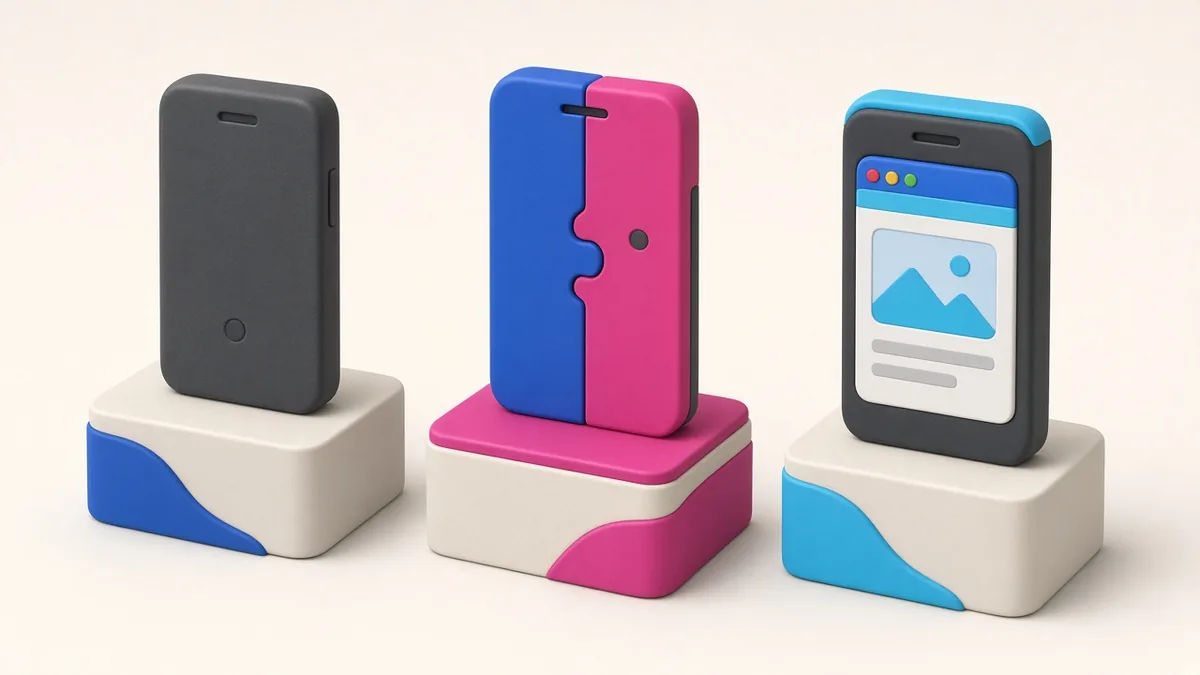
The three options in plain language
Native apps
Built separately for each platform using the tools Apple and Google provide: Swift for iOS and Kotlin for Android. You get the best performance and immediate access to new phone features. The cost is that you are effectively building and maintaining two apps.
Cross-platform (often called hybrid) apps
Written once and compiled for both Android and iOS using frameworks like Flutter or React Native. They install from Google Play and the App Store like any other app and can use GPS, camera and push notifications. Most business apps built today, including delivery and booking apps, can be built this way with little noticeable difference to users.
Note that “hybrid” used to refer to apps that simply wrapped a website in an app shell. That older approach tends to feel slow, and Apple’s review guidelines on minimum functionality can reject apps that are little more than a repackaged website.
Web apps and PWAs
A web app runs in the browser. A progressive web app adds features like adding an icon to the home screen, working partly offline and, on supported devices, push notifications. Customers open a link and start using it immediately. There is no app store approval and no store fees, but access to phone hardware is more limited, especially on iPhones.
Comparison table
| Factor | Native | Cross-platform | Web app / PWA |
|---|---|---|---|
| Upfront cost | Highest (two codebases) | Medium | Lowest |
| Time to launch | Longest | Medium | Shortest |
| Performance | Best | Very good for most business apps | Good for content and forms; weaker for heavy graphics |
| Access to GPS, camera, background tasks | Full | Nearly full | Limited, varies by browser and device |
| Installation | From app stores | From app stores | Open a link; optional home screen icon |
| Updates | Through store review | Through store review | Instant, on your server |
| Discoverability | App store search | App store search | Google search and shared links |
| Maintenance | Two teams or skill sets | One main codebase | One codebase, plus browser testing |
Philippine factors that affect the choice
Phone storage and mobile data
Many Filipino users run mid-range Android phones with limited storage, and they regularly delete apps to make space. A customer who orders from you once a month may not want another app installed. A fast web app removes that barrier; an installable app works better for people who use it often, like riders and repeat customers.
Android-first market
Android phones dominate the local market. If your budget is tight, launching on Android first, then adding iOS, is a common approach. Cross-platform frameworks make that second step much cheaper.
Patchy connectivity
Signal drops in elevators, provinces and during commutes. Whichever approach you choose, the app should handle poor connections gracefully: save drafts, retry failed requests and show clear messages instead of blank screens. Native and cross-platform apps have more options for offline storage, but a well-built PWA can cache key screens too.
Payments
GCash, Maya and card payments through gateways work in all three approaches, usually by redirecting to the gateway’s secure checkout. That is rarely the deciding factor.
Which should you build? Scenarios
| Your business | Sensible starting point | Why |
|---|---|---|
| Restaurant taking pickup and delivery orders | Web ordering app, add an installable app later for loyal customers | Customers can order from a link on Facebook or Google without installing anything |
| Ride-hailing or parcel delivery | Cross-platform or native apps for customers and drivers | Driver apps need reliable background location and notifications |
| Clinic appointment booking | Web app integrated with your website | Patients book occasionally; the website is where they find you |
| Loyalty or membership programme | Cross-platform app | Push notifications and a card in the pocket drive repeat visits |
| Internal tool for staff (inventory, attendance, inspections) | PWA or cross-platform, depending on hardware needs | You control the devices; store listing may not be needed |
| Camera-heavy or AR product, games, video editing | Native | Maximum performance and hardware access |
A simple decision process
- How often will a typical user open it? Daily or weekly suggests an installable app. Occasionally suggests a web app.
- Does it need hardware in the background? Live tracking, Bluetooth devices or constant GPS point to native or cross-platform.
- Do you need to be in the app stores? Some customers search there first, and store presence can add credibility.
- What is your budget for year two? Maintenance matters. One codebase is cheaper to keep alive than two.
- How fast do you need to launch? A web app can be live without waiting for app store review.
You can combine approaches
Many businesses use more than one. A food business might run a web ordering page for new customers, a cross-platform app for regulars, and a simple web dashboard for the kitchen. A delivery platform might give customers a web option while drivers use an installed app. Plan the backend so all channels share the same orders, customers and menus.
Common mistakes to avoid
- Building an app when a website would do. If customers interact with you a few times a year, a fast mobile website may serve them better than an app they will delete.
- Choosing native “just to be safe”. Two native codebases double much of the ongoing work. Make sure the performance gain is worth it for your use case.
- Wrapping a website and calling it an app. It saves money upfront but often disappoints users and can struggle in app review.
- Ignoring the admin side. Whatever the customer-facing approach, your team needs a solid dashboard to run the business.
Frequently asked questions
Are Flutter and React Native apps slower than native apps?
For typical business apps (lists, forms, maps, payments), users rarely notice a difference. Native still has the edge for graphics-heavy apps, complex animations and features that depend on the newest operating system capabilities.
Can a PWA be listed on Google Play?
It is possible to package a PWA for Google Play using Google’s supported approach, but the app should offer real functionality. Apple’s App Store is stricter about apps that are mainly a website in a wrapper.
Do iPhones support progressive web apps?
Yes, iPhone users can add web apps to their home screen, and newer iOS versions support push notifications for web apps added this way. Some features remain more limited than on Android, so test on both.
Which is cheapest to maintain?
A web app usually is, because updates go live instantly and there is one codebase. Among installable apps, cross-platform is generally cheaper to maintain than two separate native apps.
More guides
- How Long Does It Take to Build a Website? A Realistic Timeline
- What Your Business Website Needs: 15 Must-Have Features for Philippine SMEs
- White-Label Apps Explained: Launch a Food Delivery, Ride-Hailing or E-Wallet App Faster
- Freelancer vs Web Development Agency in the Philippines: Which Is Right for Your Business?
- How to Choose a Web Developer in the Philippines: 12 Questions to Ask Before You Hire
