10 min read
Custom software makes sense for a Philippine SME when a recurring operational task is costing staff hours, causing errors or blocking growth, and no ready-made tool fits the way the business actually works. The best candidates are usually inventory across branches, bookings, dispatch, approvals, order intake from chat apps and payment reconciliation. For standard functions such as accounting, payroll computation and email, an off-the-shelf product is usually the better choice.
Many growing businesses run on a patchwork: a Google Sheet for stock, a Viber group for orders, a notebook for bookings and screenshots of e-wallet payments. It works until it does not. This guide lists ten problems that are common candidates for automation, what a custom system does for each, and a simple way to decide between building and buying.
Why automation matters more for Philippine SMEs now
The operating environment has gone digital faster than many back offices. BSP data shows digital payments reached 64.7% of retail payment volume in 2025, as reported by the Daily Tribune, and the PSA’s preliminary estimates counted 10.39 million digital economy jobs in 2025, or 21.2% of employment, according to GMA News. Customers pay by QR, order through chat and expect instant confirmations. When the front end of a business is digital but the back end is manual, staff end up re-typing, cross-checking and chasing information.
The best automation project is not the most impressive one; it is the task your team complains about every single day.
The 10 operational problems worth automating
1. Inventory across branches and channels
The problem: stock is tracked in a spreadsheet updated at the end of the day, so the branch, the online store and the marketplace listings disagree. Items sell out online while still showing as available, or sit in one branch while another runs out.
What custom software does: one stock ledger that every sale, transfer and delivery updates in real time, with low-stock alerts, branch transfers and a full movement history for audits.
2. Bookings and appointments
The problem: clinics, salons, repair shops and rental businesses take bookings through calls, Messenger and walk-ins, leading to double bookings and no-shows.
What custom software does: a shared calendar per staff member or resource, online self-booking, deposits via e-wallet or QR Ph, and automatic SMS or email reminders.
3. Dispatch and deliveries
The problem: riders or drivers are assigned by phone, nobody knows who is where, and proof of delivery is a photo in a group chat.
What custom software does: a dispatcher dashboard, a driver app with job lists and status updates, GPS position, photo and signature proof of delivery, and daily performance summaries. For transport operators specifically, see our guide to digital dispatch systems.
4. Payroll inputs: attendance, overtime and allowances
The problem: HR collects timesheets, overtime slips and allowance claims from several sites and re-types them before payroll.
What custom software does: a mobile or web time-in system with location or QR check-in, overtime requests with approval, and a clean export to your payroll provider. Note the distinction: automate the inputs, but let a dedicated payroll product handle the computation and statutory rules.
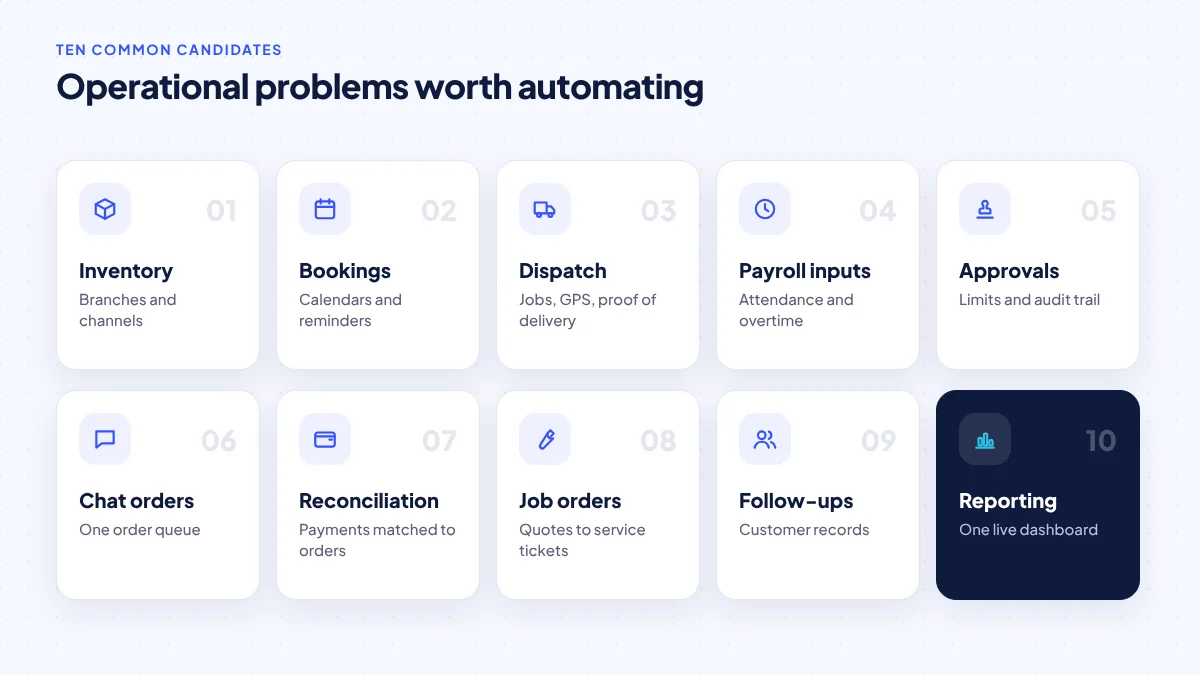
5. Approvals: purchases, discounts, leave and refunds
The problem: approvals happen through chat messages and signatures on paper, so there is no record of who approved what, and requests stall when the owner is travelling.
What custom software does: request forms with defined approvers, amount limits, mobile approval with one tap, and an audit trail that accountants and auditors can review.
6. Orders that arrive through chat
The problem: customers order through Facebook Messenger, Viber or WhatsApp. Staff copy details into a sheet, mistakes creep in and orders are missed during busy hours.
What custom software does: a simple order form or ordering link that customers fill in themselves, feeding a single order queue with statuses that staff update. Chat remains the conversation channel; the system becomes the record.
7. Payment reconciliation
The problem: customers send screenshots of GCash, Maya or bank transfers, and someone matches them to orders by hand at the end of the day.
What custom software does: payment links or a gateway integration that confirms payments automatically and attaches them to the right order. GCash reported 90 million registered users in 2025, according to its parent company Mynt, so e-wallet volume will only grow. Our guide to GCash and Maya payments explains the options.
8. Quotations, job orders and service tickets
The problem: contractors, fabricators, IT and aircon service companies prepare quotations in Word, track jobs on whiteboards, and lose track of warranty work.
What custom software does: quotation templates with your price list, conversion of approved quotes into job orders, technician assignment, job status, and history per customer or unit.
9. Customer records and follow-ups
The problem: customer information is scattered across phones and notebooks, and repeat business depends on someone remembering to follow up.
What custom software does: a lightweight customer database tied to orders and services, with reminders for renewals, maintenance schedules or reorders. Follow-ups are often a quick win because they turn existing customers into repeat business without new advertising.
10. Reporting from many spreadsheets
The problem: the owner waits days for a sales report compiled from several branch files, and the numbers do not match.
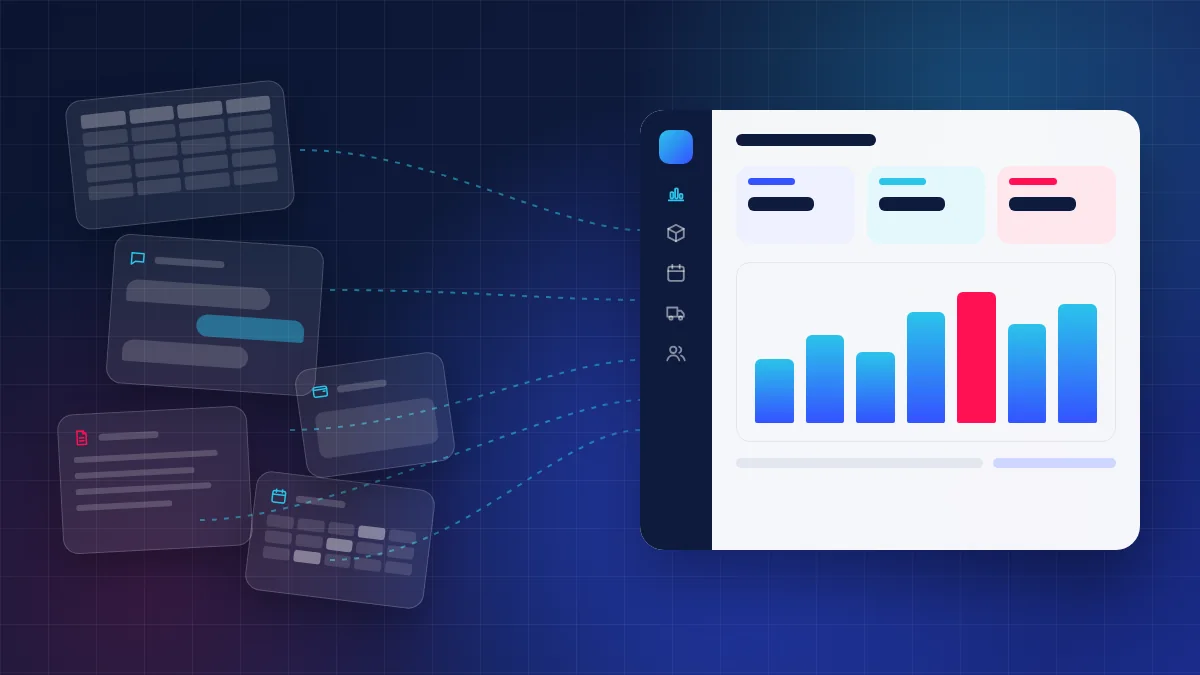
What custom software does: once problems 1 to 9 feed one database, a dashboard shows sales, stock, receivables and staff performance in real time. Reporting is the reward for fixing the other workflows, not a starting point.
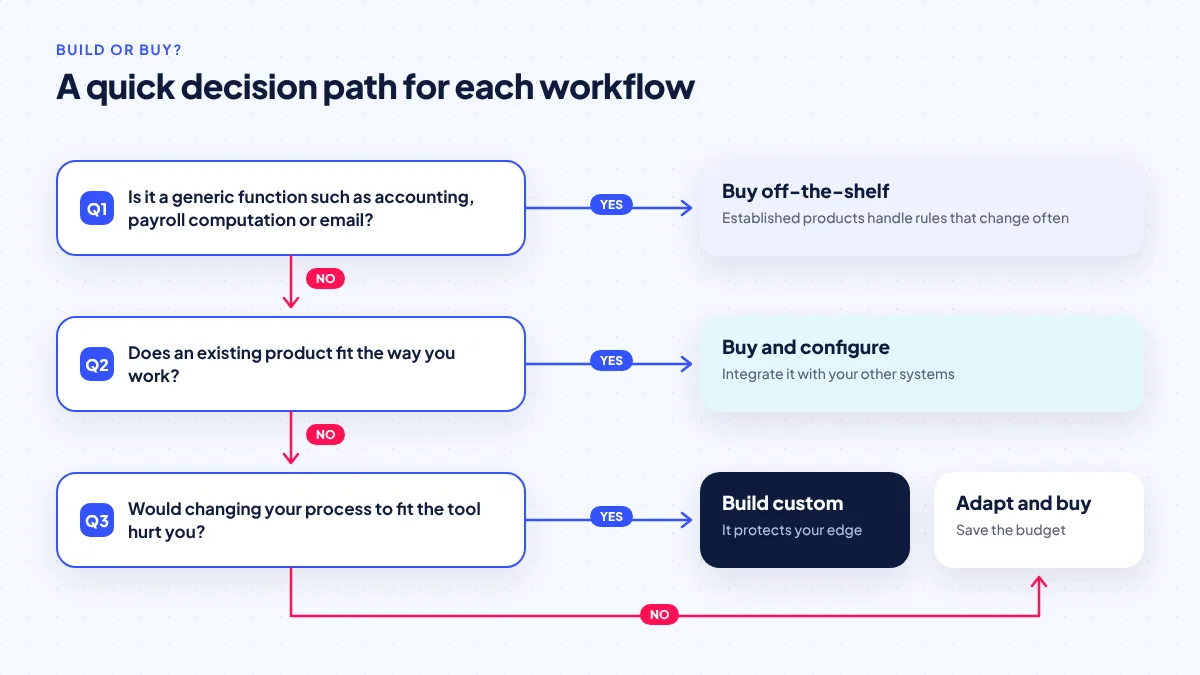
Build or buy: when off-the-shelf is better
Custom software is not always the answer. The table below is ServicioPro’s practical guide.
| Function | Usually buy | Consider custom when |
|---|---|---|
| Accounting and tax filing | Yes, use an established accounting product | Rarely; integrate instead |
| Payroll computation | Yes, statutory rules change and need constant updates | Only the inputs (attendance, overtime) are custom |
| Email, documents, chat | Yes | Never |
| Simple point of sale | Often | When POS must tie into custom inventory or delivery |
| Inventory, bookings, dispatch | If a tool fits your process closely | When your process, branches or channels do not fit standard tools |
| Approvals and job orders | For simple, generic flows | When rules depend on amounts, branches or roles specific to you |
There is also a middle path: white-label systems that are already built and can be configured and branded. Our comparison of white-label apps vs custom builds covers that choice.
How to start without overspending
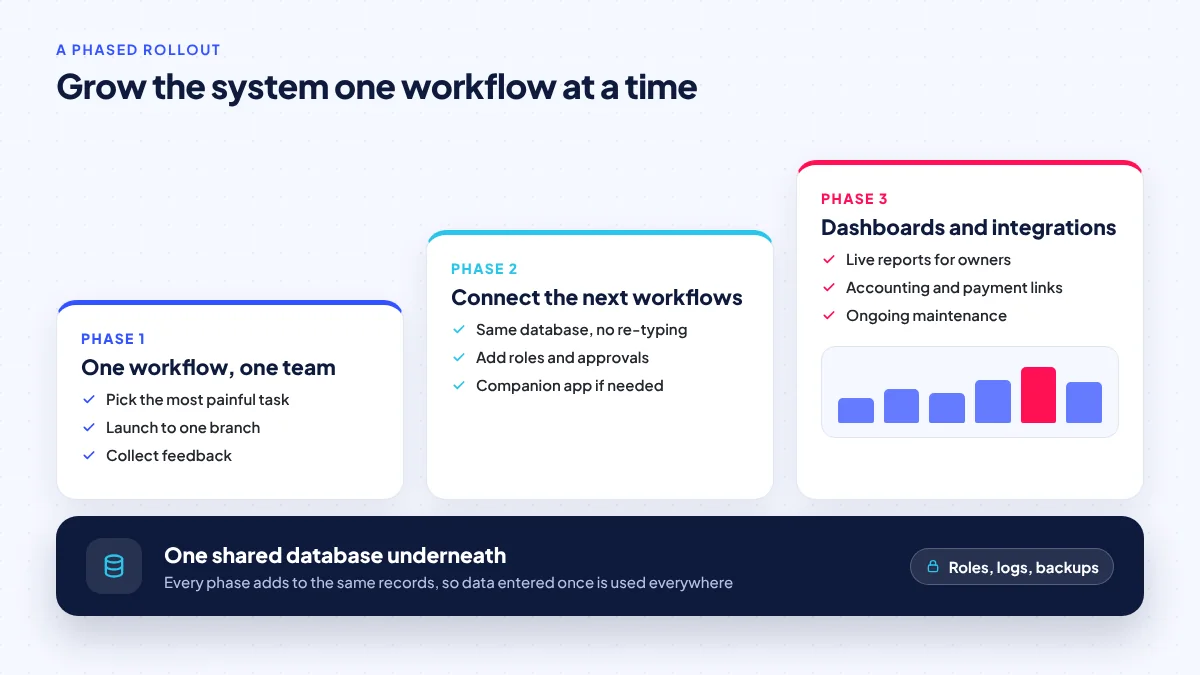
A frequent cause of trouble in SME software projects is scope: trying to replace everything at once. A safer sequence:
- Pick one workflow. Choose the problem from the list above that costs the most time or causes the most errors.
- Map it on paper. Who does what, in what order, with what information? Include exceptions such as returns, cancellations and partial payments.
- Define success. For example, “orders entered once”, “no double bookings” or “stock count matches within a set tolerance”.
- Write a short brief. Our development brief template helps you list users, screens and integrations.
- Build the smallest useful version. Launch to one branch or team and gather feedback for a few weeks.
- Extend. Add the next workflow onto the same database so data flows between them.
- Plan maintenance. Budget for updates, backups, hosting and small improvements after launch.
Technology choices that age well
Most SME systems are web applications that staff open in a browser, sometimes with a companion mobile app for drivers or field staff. Choose a mainstream framework with published support dates. For example, Laravel 13, released on March 17, 2026, receives bug fixes until the third quarter of 2027 and security fixes until March 17, 2028, according to the Laravel release notes; it supports PHP 8.3 to 8.5. Our article on Laravel 13 for business web applications goes into upgrade planning, and Firebase vs a custom backend compares hosted alternatives.
What about AI?
AI can help inside custom systems, for example by summarising customer messages, suggesting categories for expenses, or drafting replies. Use it carefully. In the Stack Overflow 2025 Developer Survey, 84% of developers said they use or plan to use AI tools, but only about a third said they trust the accuracy of AI output, according to the survey’s AI section. For business records, AI should suggest and a person should confirm. Our guide to AI-powered websites and apps covers realistic uses.
What drives the cost
There is no reliable public benchmark for custom software prices in the Philippines, so we focus on drivers. Cost rises with the number of user roles, integrations (payment gateways, accounting, couriers, SMS), offline requirements, mobile apps in addition to the web system, reporting complexity and data migration from old spreadsheets. It falls when you start with one workflow and reuse proven components. For reference, ServicioPro’s business websites start from ₱5,000 and white-label apps range from ₱100,000 to ₱800,000; custom systems are quoted based on their scope.
Frequently asked questions
Is custom software only for large companies?
No. Many SMEs benefit most from a small custom tool that fixes one painful workflow, such as bookings or inventory. Starting small keeps costs manageable and lets you prove value before expanding.
Should I build my own accounting or payroll system?
Usually not. Accounting and payroll computation follow tax and labour rules that change often, so established products are safer. Custom software can handle the inputs and send clean data to those products.
Web app or mobile app for internal tools?
Most internal tools work best as web apps opened in a browser, because they are easier to update and work on any device. Add a mobile app for staff who need GPS, cameras or offline use in the field, such as drivers and technicians.
Who owns the software if I hire a developer?
That depends on your contract. Agree in writing on ownership of the source code, hosting accounts and data before work starts, and make sure you hold the admin credentials to your domain and servers.
How long does a first version take?
It depends on scope. A single focused workflow is far faster to deliver than a multi-module system. Our MVP timeline guide explains the stages involved.
Sources
Researched October 26, 2026. Dates show when each source was published.
- BSP: Digital payments account for nearly two-thirds of retail volume, Daily Tribune, August 19, 2026.
- PH digital economy at P2.74T, GMA News, April 30, 2026.
- GCash parent Mynt submits SEC registration statement and PSE listing application, Mynt, June 27, 2026.
- Laravel 13 Release Notes, Laravel, March 17, 2026.
- 2025 Developer Survey: AI, Stack Overflow, 2025.
- NPC Circular 16-03: Personal Data Breach Management, National Privacy Commission, 2016.